



Remote control help and troubleshooting
Is your remote control not working as expected? Find the main checks and solutions here.
Replacement remote controls supplied by Passion-Electro are preconfigured. Normally, no code entry or manual programming is required before use.
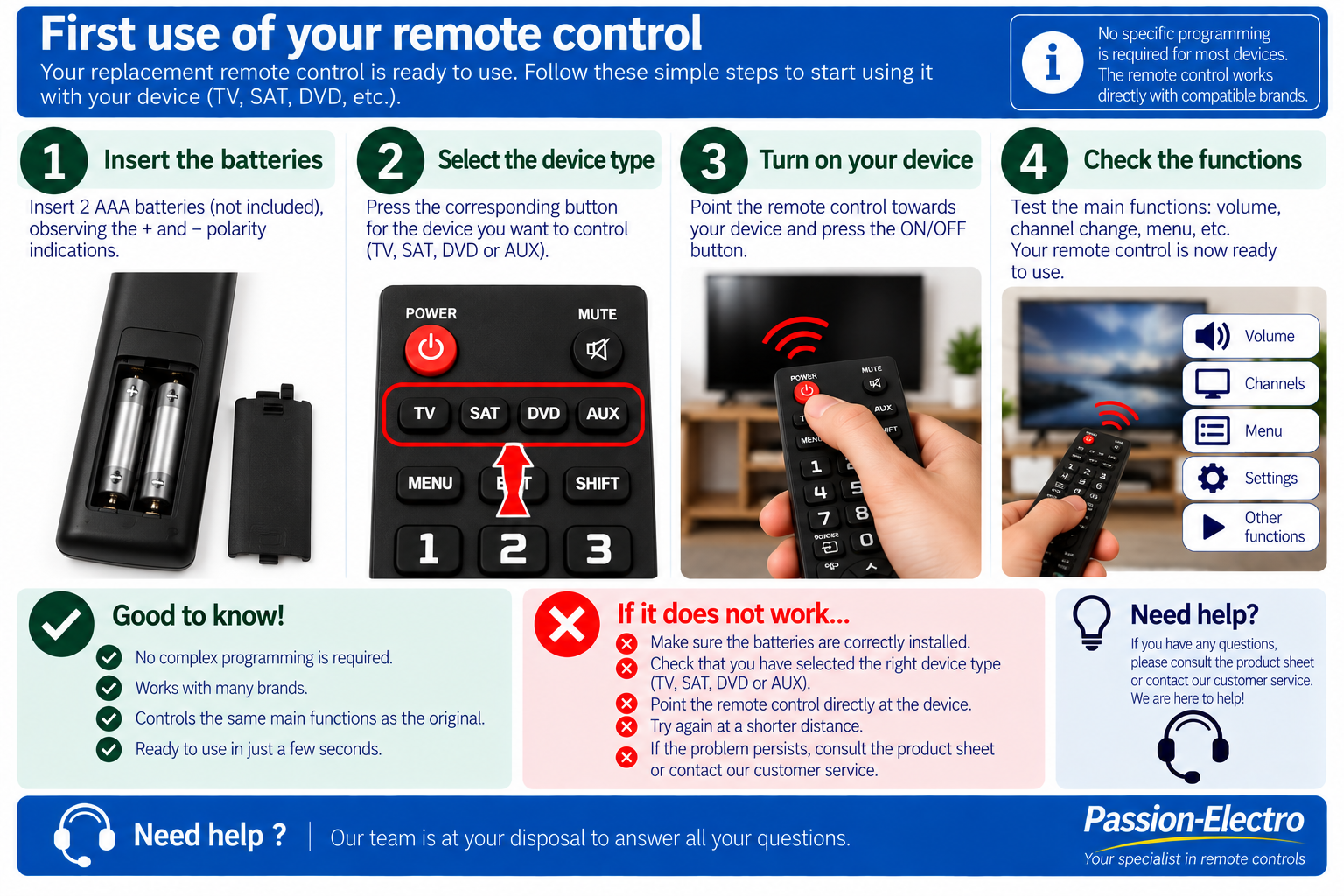
1. First use of your remote control
Your replacement remote control is normally ready to use. Follow these simple steps before getting started.
2. Start by checking the batteries
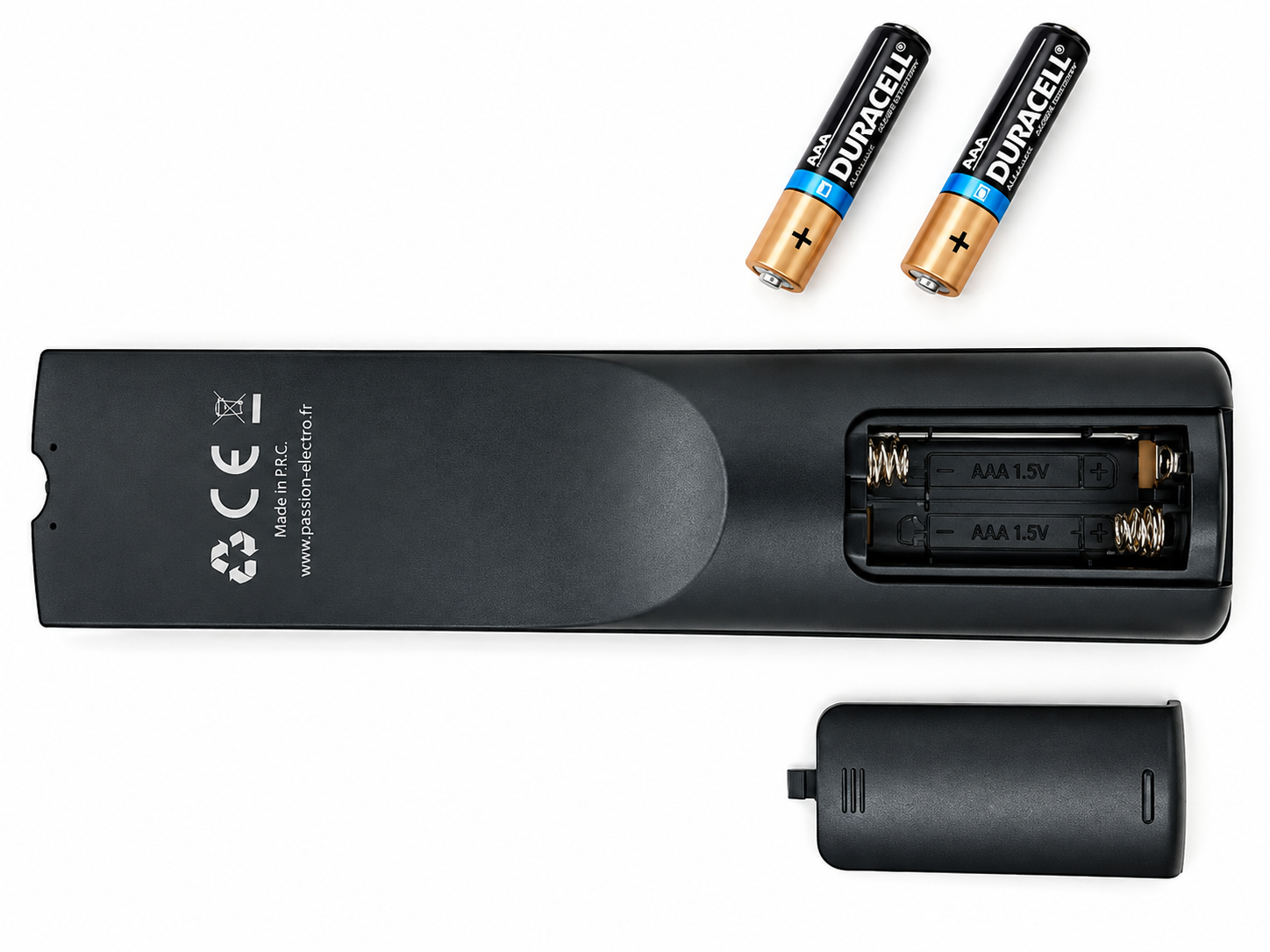
Batteries that still work in another device may have insufficient voltage to operate a remote control correctly.
Checks to perform
- Preferably use new alkaline batteries.
- Check the battery type indicated in the compartment, usually AAA / LR03.
- Make sure the + and - polarity is correct.
- Make sure the batteries are in proper contact with the springs and metal contacts.
- For troubleshooting, use new alkaline batteries rather than rechargeable batteries.
3. Test TV, SAT, DVD and AUX modes
Some replacement remote controls have four device selection buttons: TV, SAT, DVD and AUX.
Even when only one reference is shown on your order, several compatible configurations may be available through the different modes. In other cases, several closely related device references may use the same replacement remote.
It is therefore important to test the available modes before concluding that the remote is not compatible.
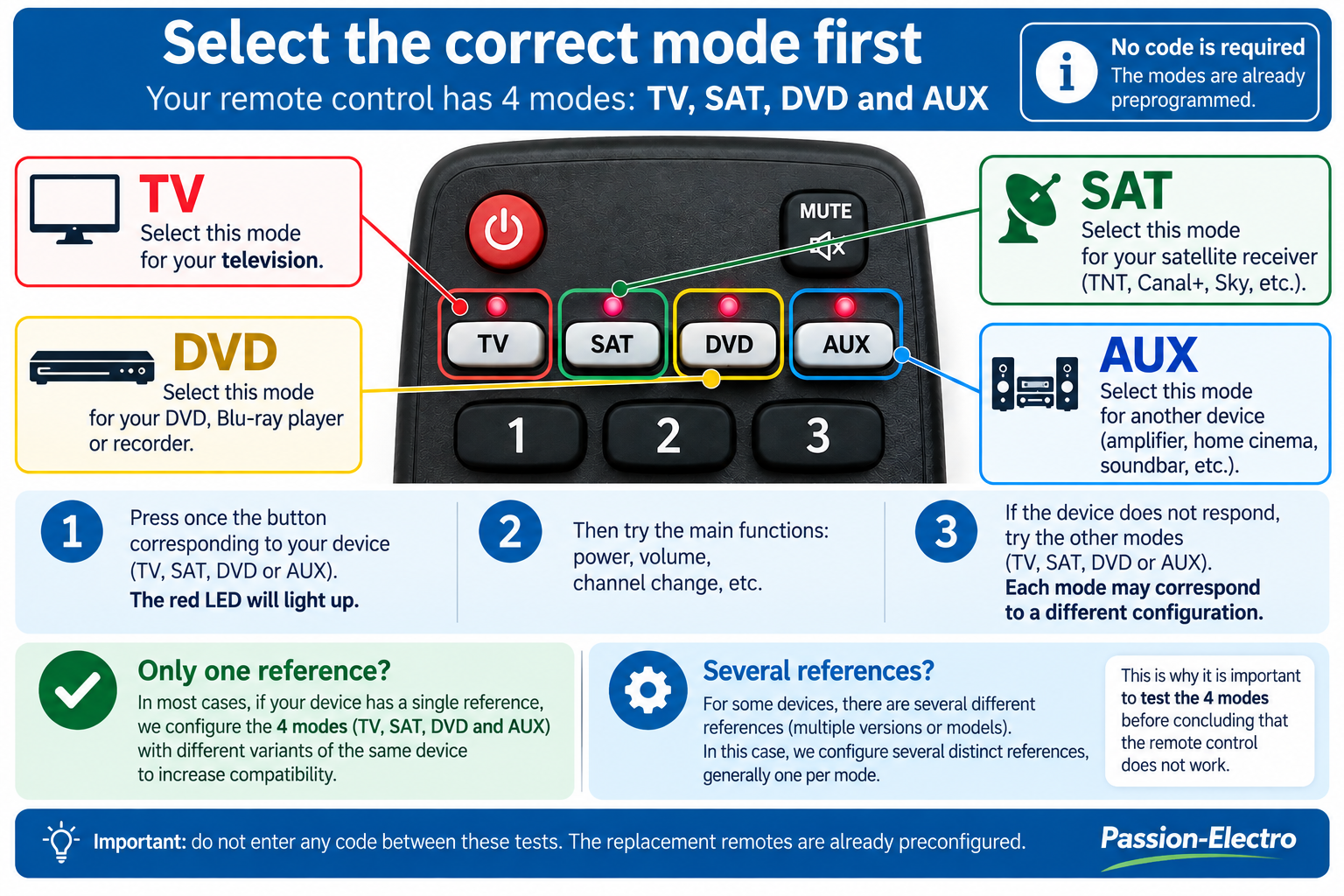
- Stand in front of your device and press TV once.
- Try POWER, volume or a channel number.
- If the device does not respond, select SAT and test again.
- Then repeat the test with DVD.
- Finish by testing AUX.
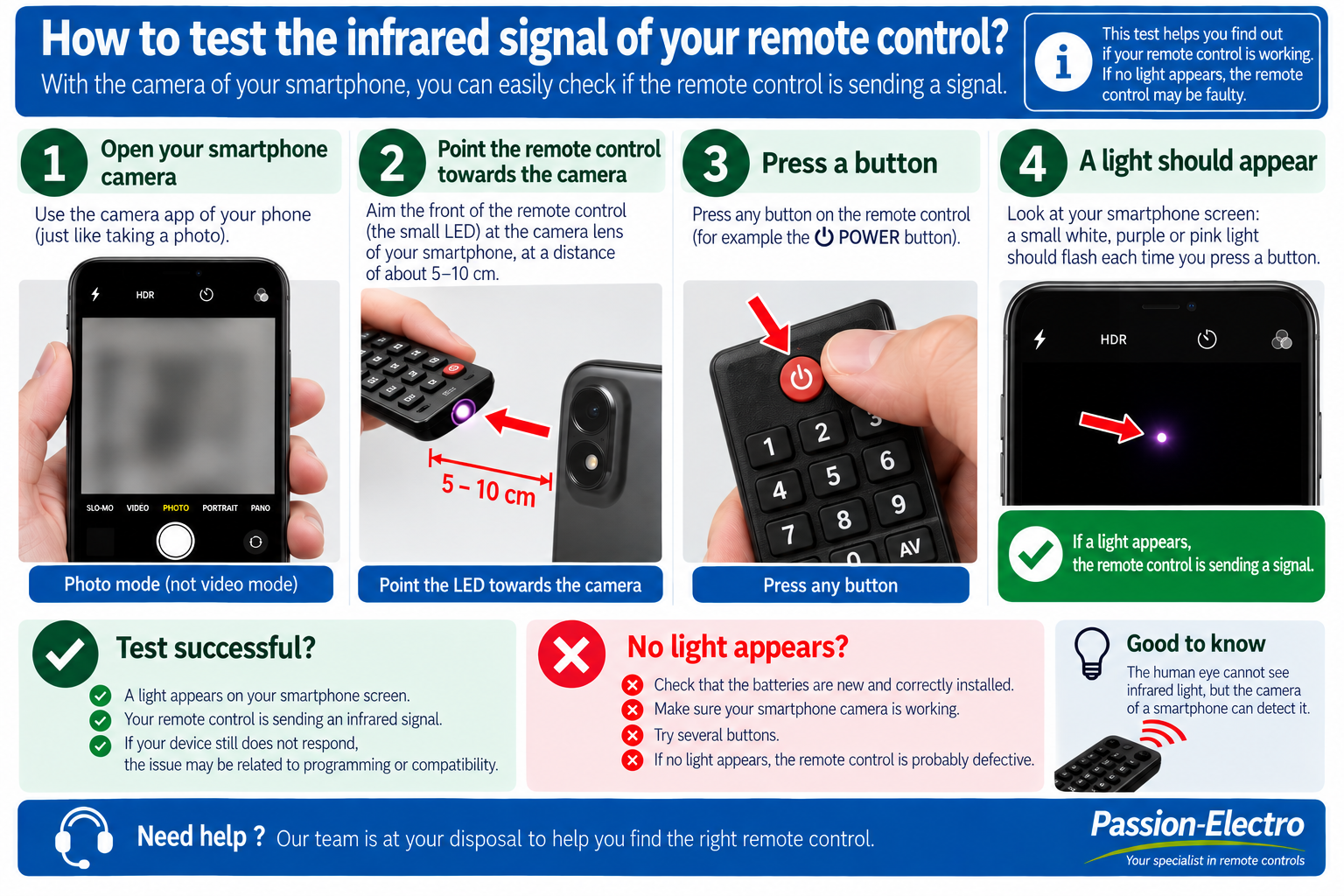
4. Test the infrared signal with a smartphone
If your device does not respond, you can quickly check whether the remote is transmitting an infrared signal using a smartphone camera.
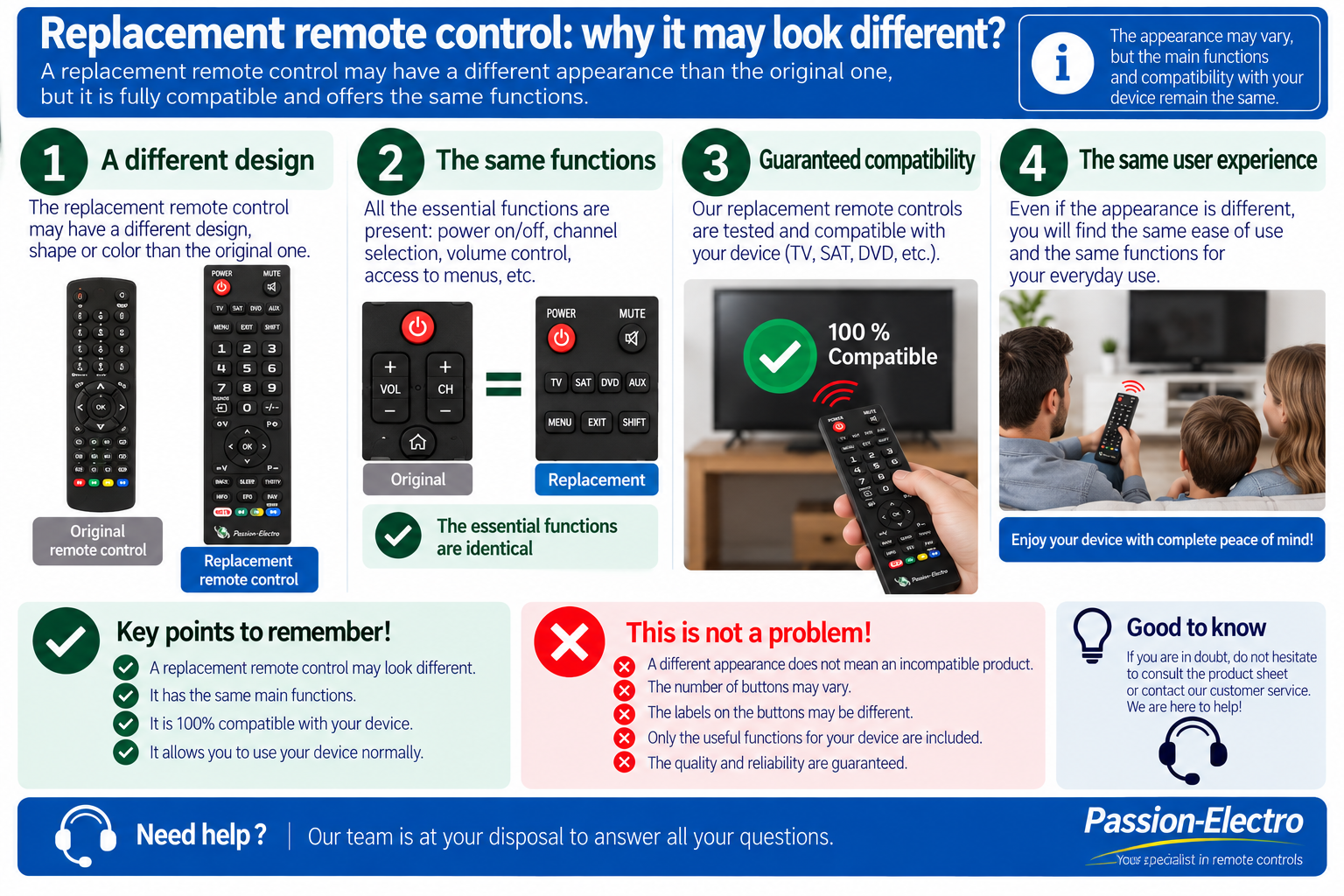
5. My replacement remote looks different from the original
This is normal in many cases. A replacement remote may have a different shape, button layout or number of buttons from the original remote.
6. A button does not match my original remote
The same function may be located elsewhere or use a different symbol on a replacement remote.
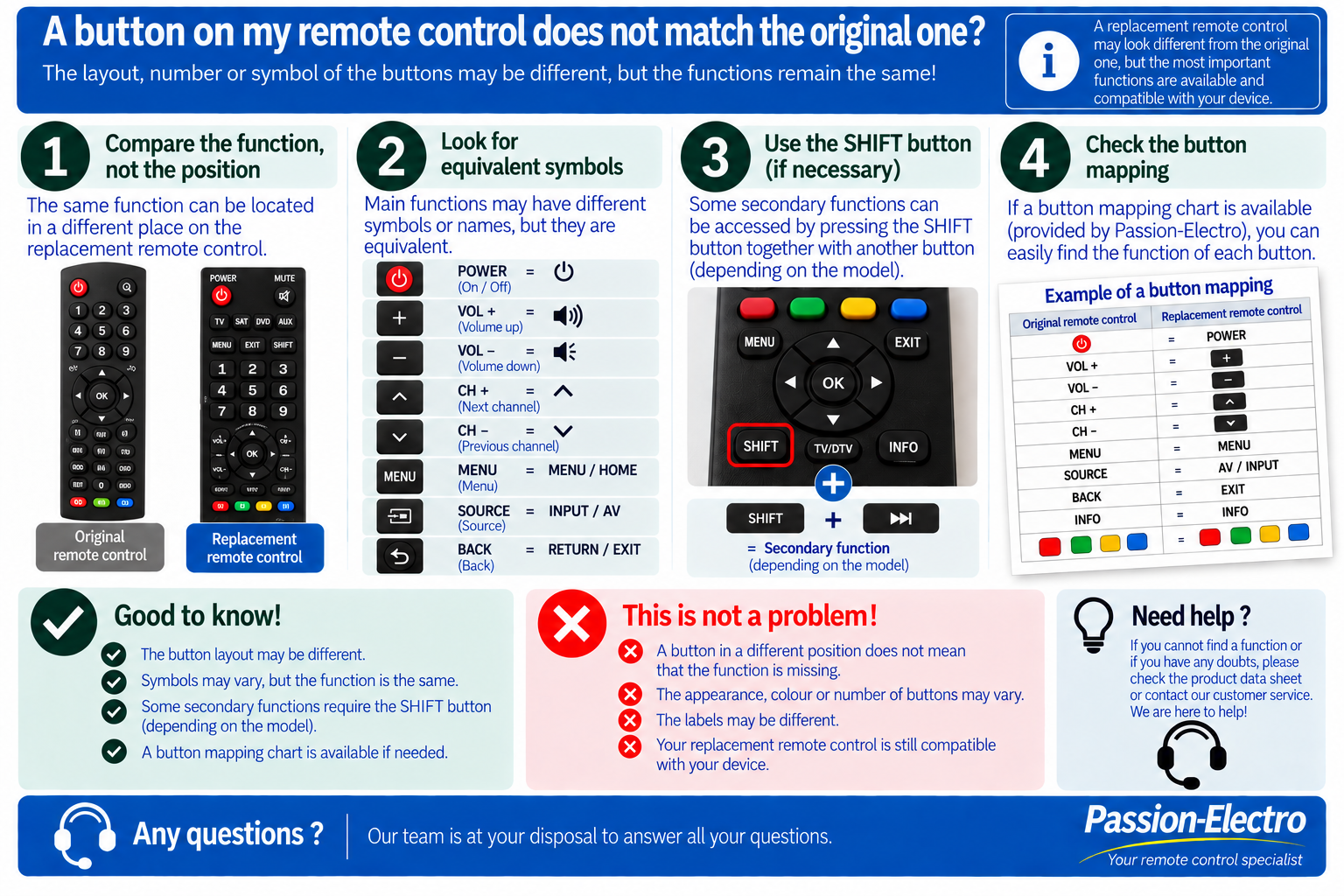
- Compare the function rather than the position of the button.
- Look for equivalent symbols or labels such as VOL, CH, MENU, SOURCE, INPUT, BACK and EXIT.
- Test the other TV / SAT / DVD / AUX modes when available.
- Some secondary functions may use SHIFT, depending on the remote model.
On some models, a secondary function can be accessed by pressing SHIFT and then another button.
Not all remote controls use this function. If your remote has a SHIFT button, use it only when looking for a secondary function that is not directly available.
7. How to find the exact reference of your device
To identify the correct compatible remote control, the exact reference of your device is essential.
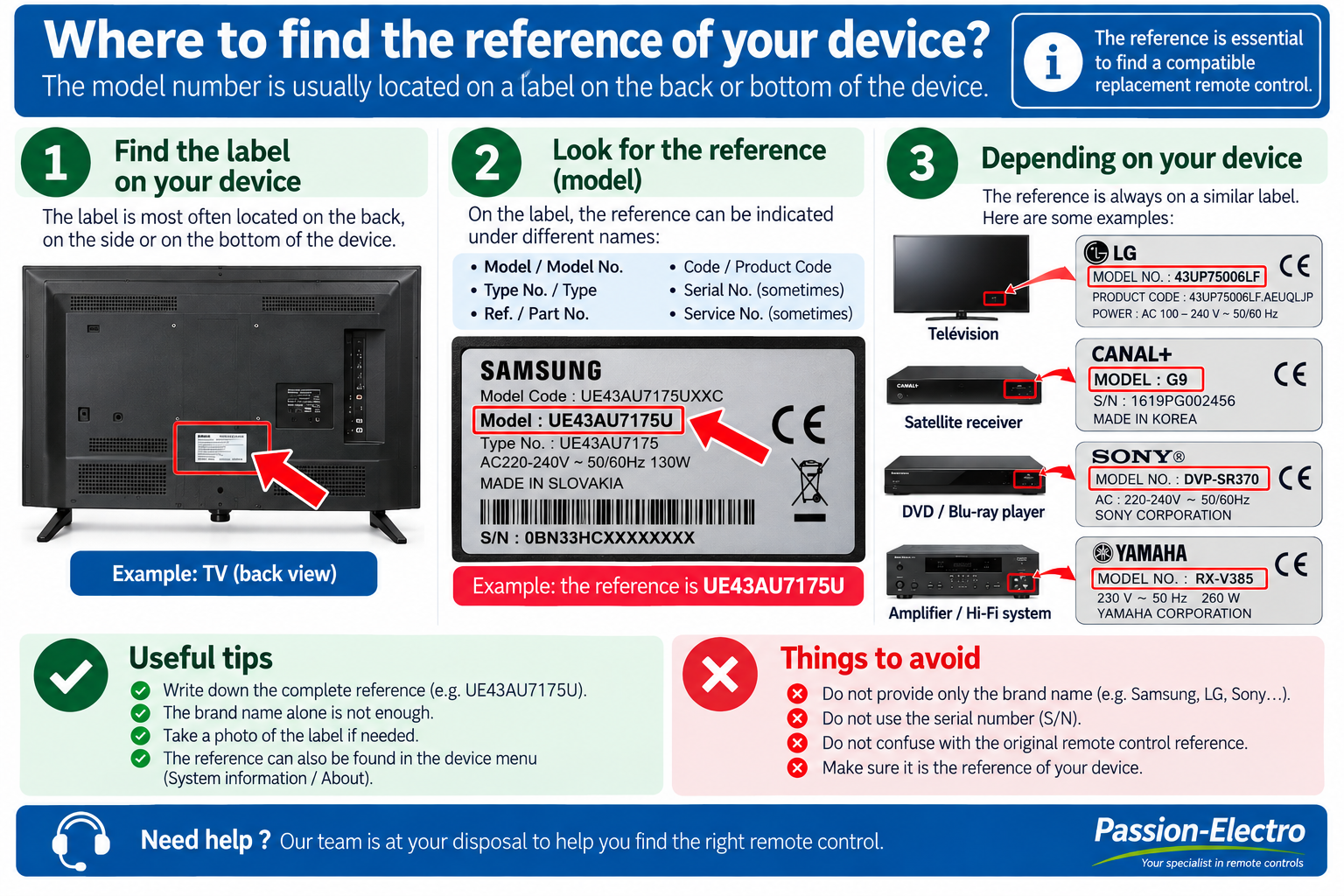
Insufficient information: Samsung TV
Useful information: Samsung UE43AU7105KXXC
8. My remote control still does not work
If the previous checks did not solve the problem, follow the troubleshooting steps below in order.
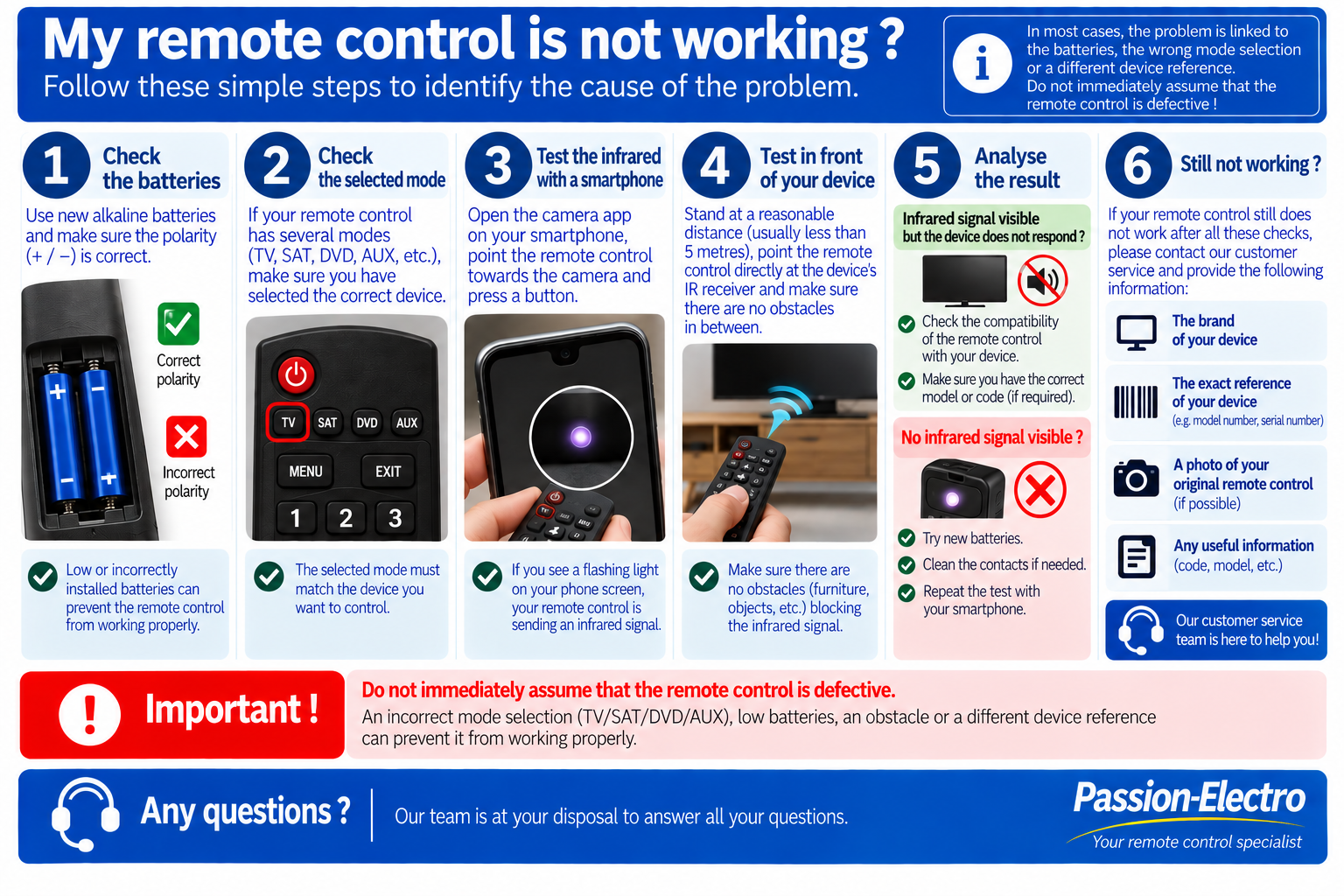
Before contacting customer service
Compare the reference on the manufacturer label with the reference used when ordering. A different letter, number or suffix can sometimes indicate another version of the device.
- Your order number.
- The brand of your device.
- Its exact model reference.
- The reference of the original remote, if available.
- A photo of the manufacturer label.
- A photo of your original remote, if possible.
Can’t find your remote control?
Passion-Electro has a large catalogue of references that is regularly expanded.
If your model is not yet listed on our website, contact us with the brand and exact reference of your device or original remote control.
We will check the compatible solutions available and, where possible, we can add your model to our catalogue.
Need help?
If you have completed all these checks and your remote still does not work correctly, contact our team and provide as much information as possible about your device.
Contact Passion-Electro contact@passion-electro.fr